There are two ways to change the vaccination type. One is using the RIVIAM web tool, and the second one is using the Mobile app while at a session.
Change the vaccine type via the RIVIAM web
When the parent or carer submits an eConsent, they have the option to choose between a Nasal or an Injectable vaccine.
If, for any reason, the vaccine type needs to be changed (E.g., from Nasal to Injectable or vice versa), the immunisation team can do this by selecting the Immunisation tab (displaying a syringe symbol).
A new page will open, and then select "Actions" and a drop-down menu will appear as follows:
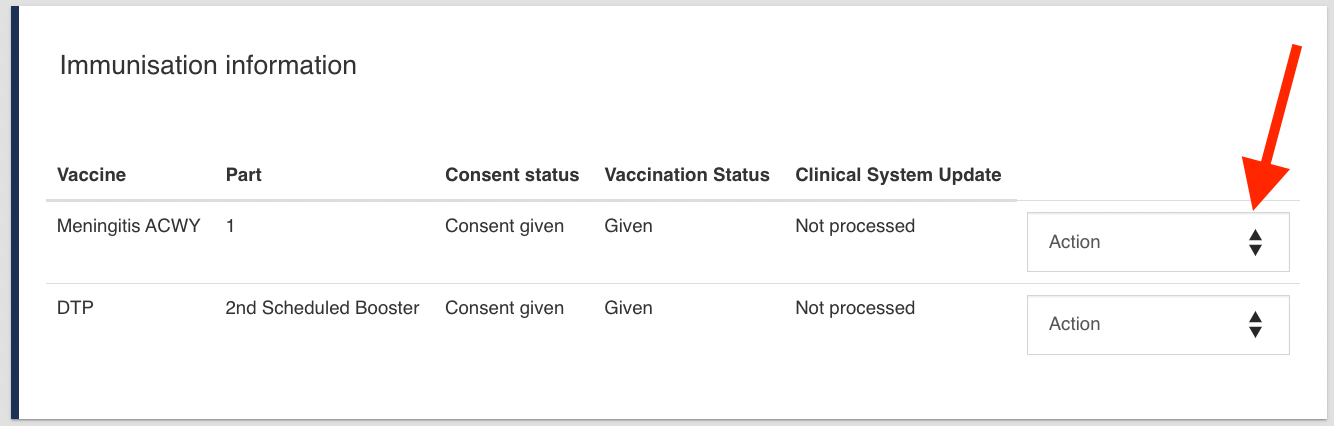 Image: Click in ‘Action’.
Click on "Update vaccination type".
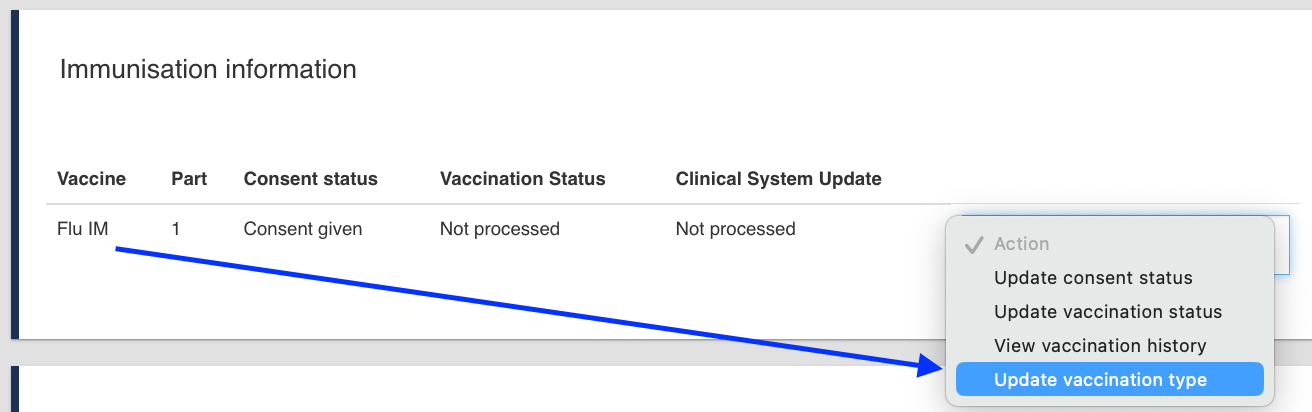 Image: Select “Update vaccination type” from the drop-down menu.
A pop-up window will appear:
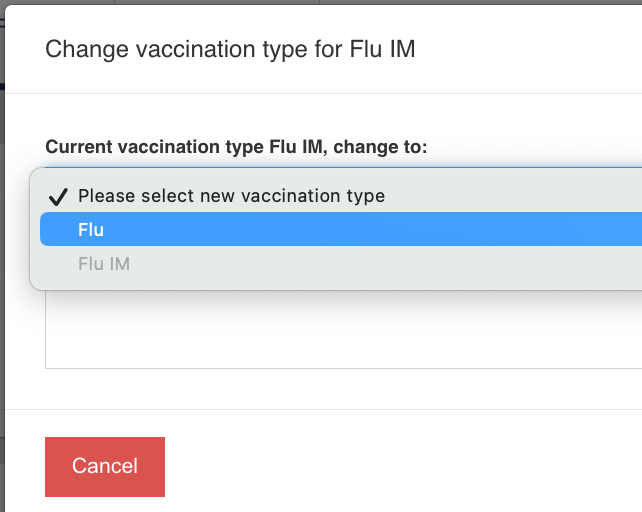 Image: Pop-up windows. Select from the options.
Under "Current vaccination type Flu, change to" select the option required.
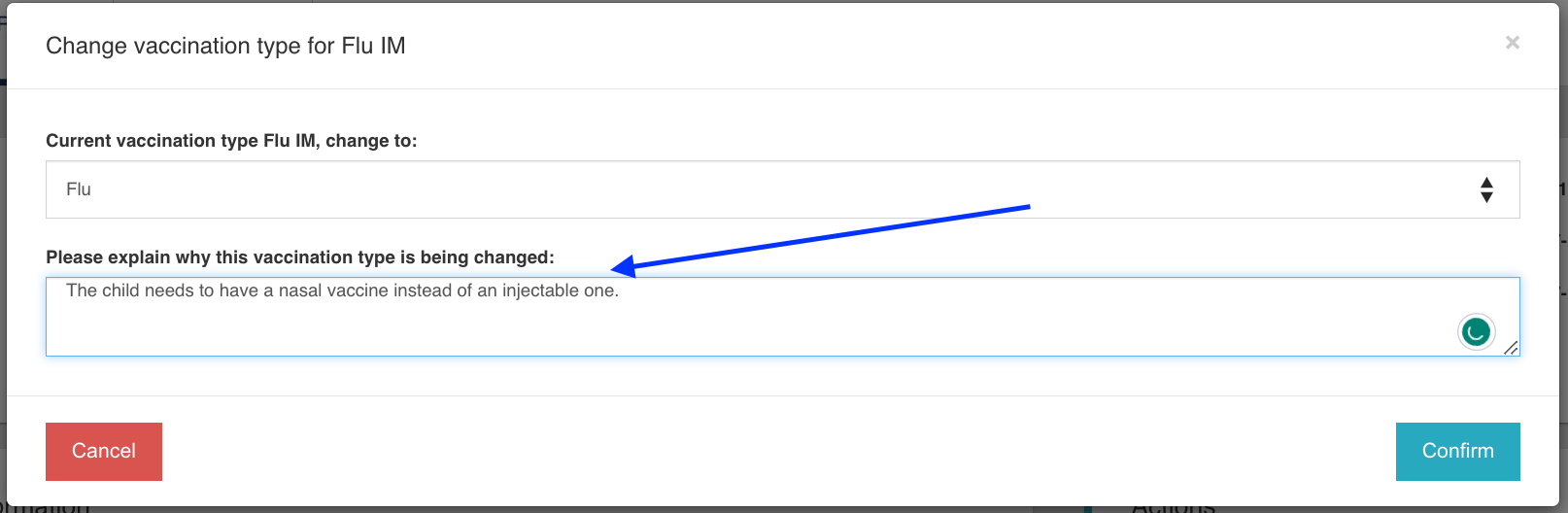 Image: Fill in all the details.
We recommend that the user add a reason for this change. The change of vaccine type, along with whatever you filled in the explanation section, will appear on the iPad for your colleagues at the clinic to see. Select 'Confirm'.
This comment will appear in the Timeline event as seen here:
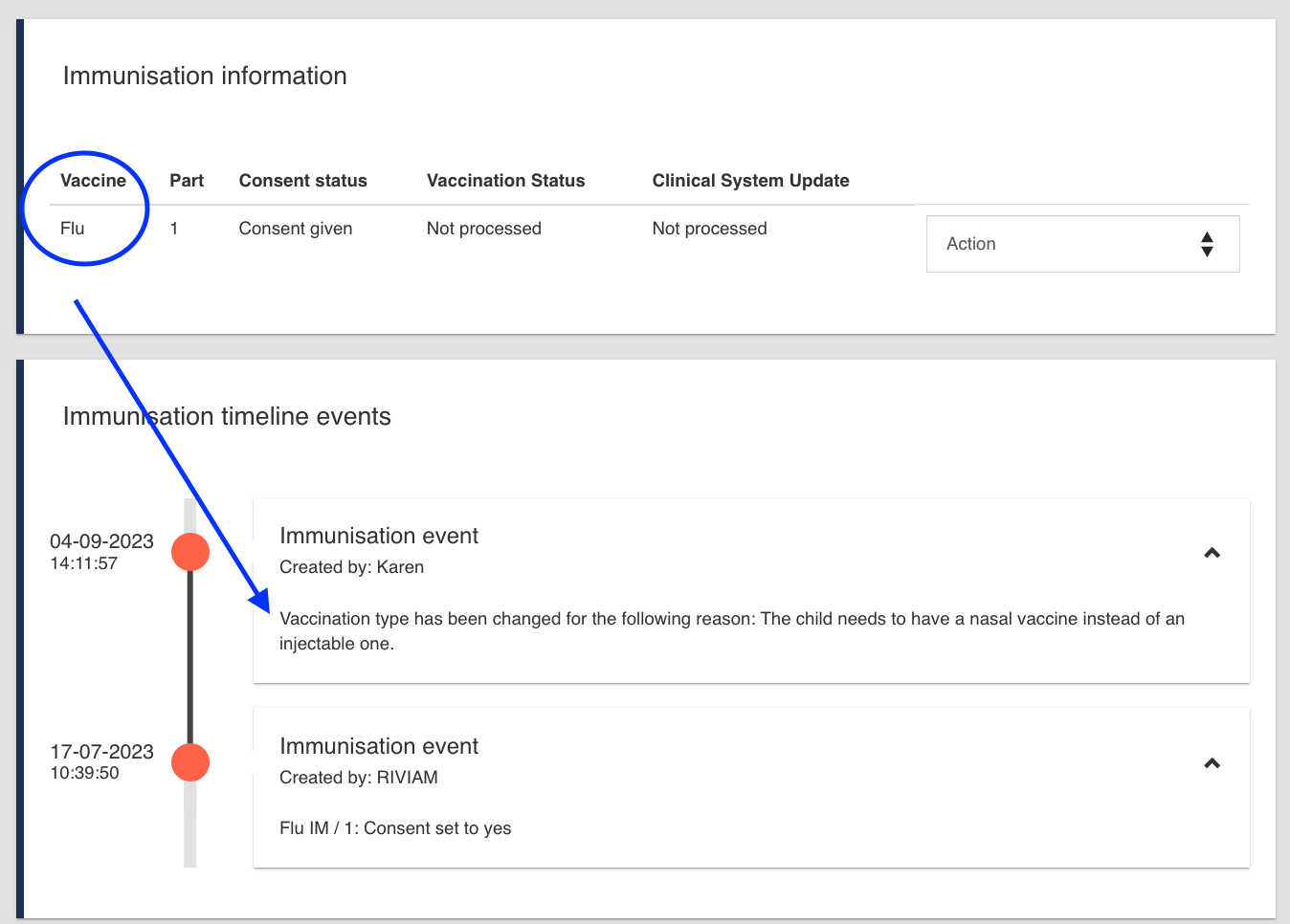 Image: Timeline event example.
You will see that the vaccine type on the vaccination record has changed from Flu nasal as required. The child will not appear in the required Flu clinic list.
To ensure the vaccine type appears correctly on the mobile, please update the vaccine type in the Referral details section as follows:
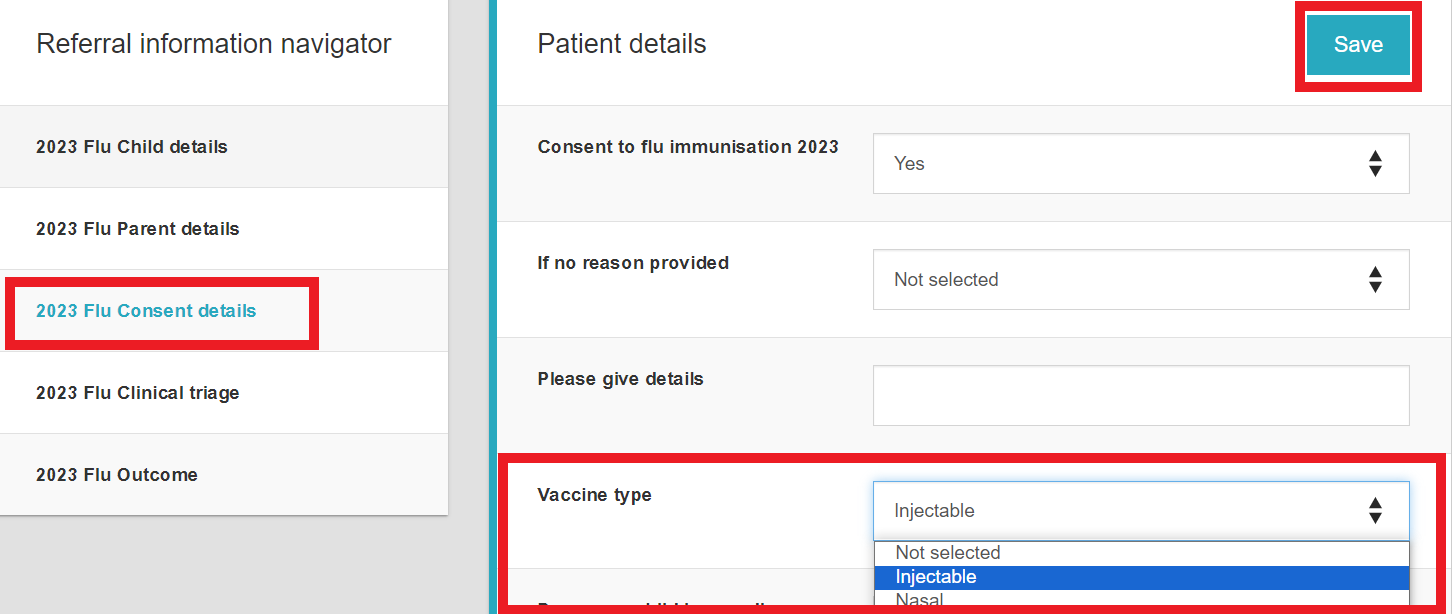 Image: Referral details section example.
Change the vaccine type via the Mobile app
Open the child's record. Under the NHS logo, you will notice a blue button with a plus symbol. Press this button to open the form to change the vaccination type.
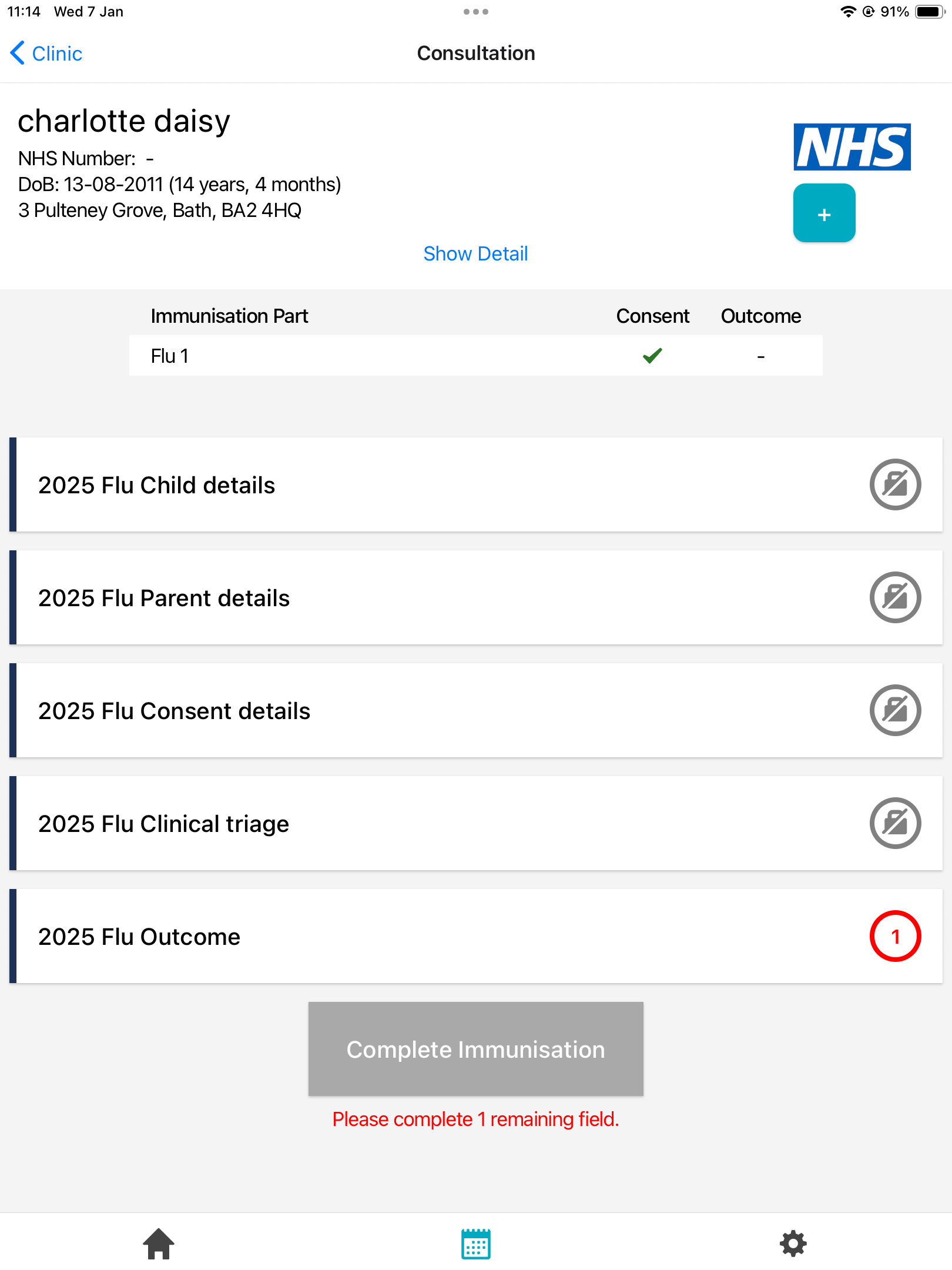 Image: Open the child’s record and notice the blue plus button under the NHS logo
The 'Referrals Form' modal window will open. Select the option that states 'Update Vaccination Type' (which applies for Flu immunisation only).
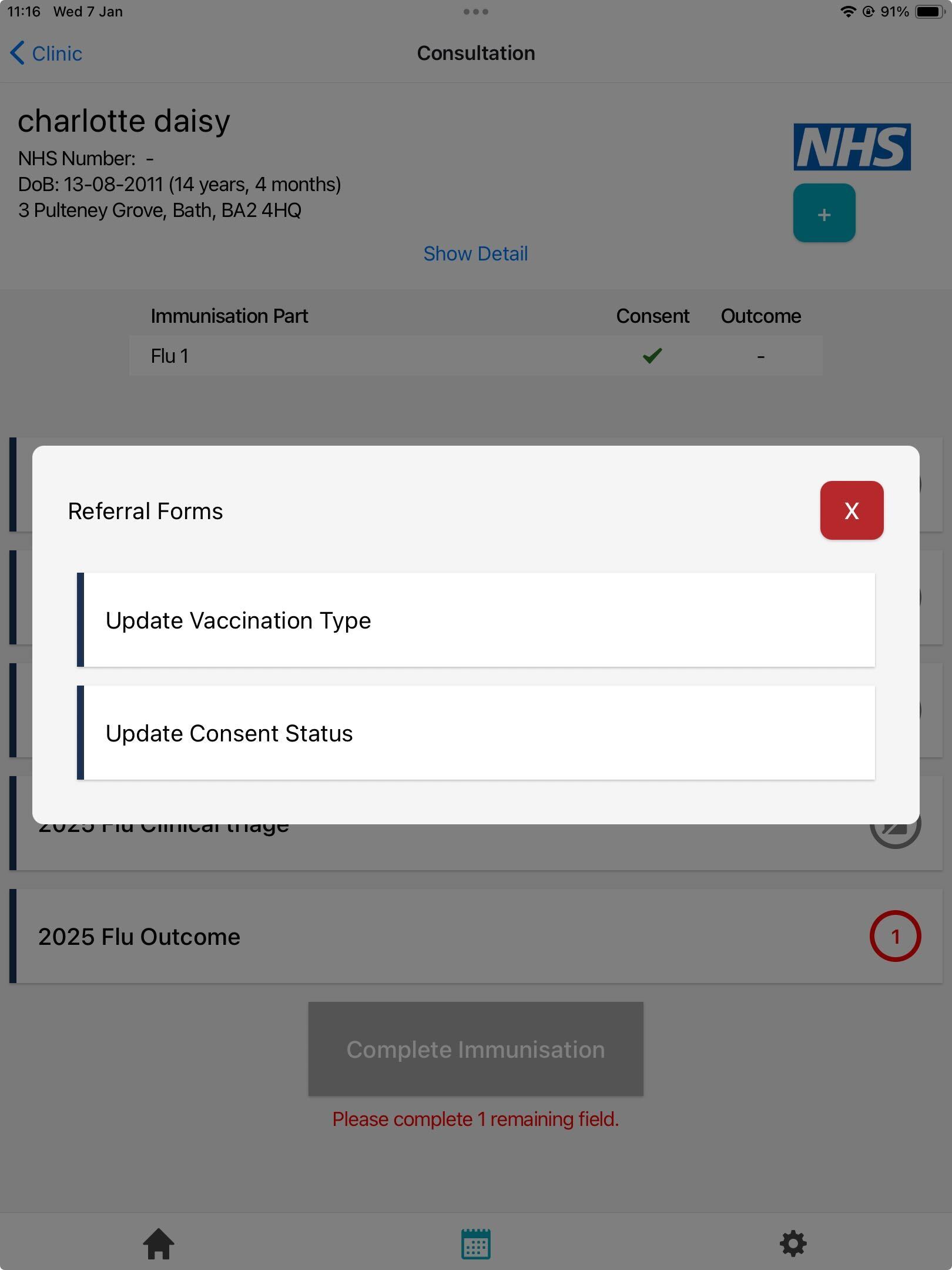 Image: Referral Forms modal window
Fill in the fields. In this example, you can see that the changes are being made for a Nasal vaccine to an Injectable one.
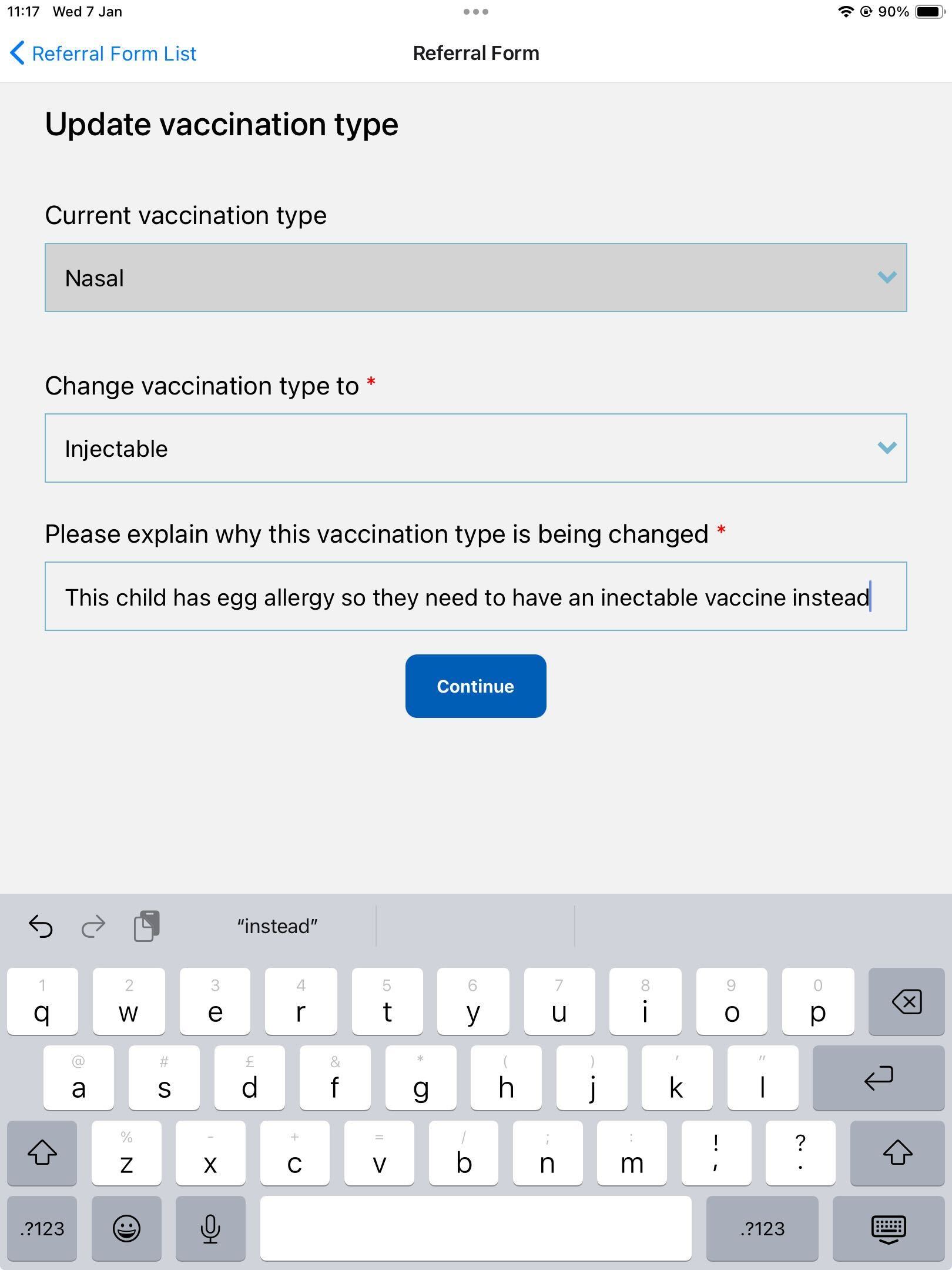 Image: the ‘Update vaccination type’ form
Press the 'Continue' button a Success message will appear:
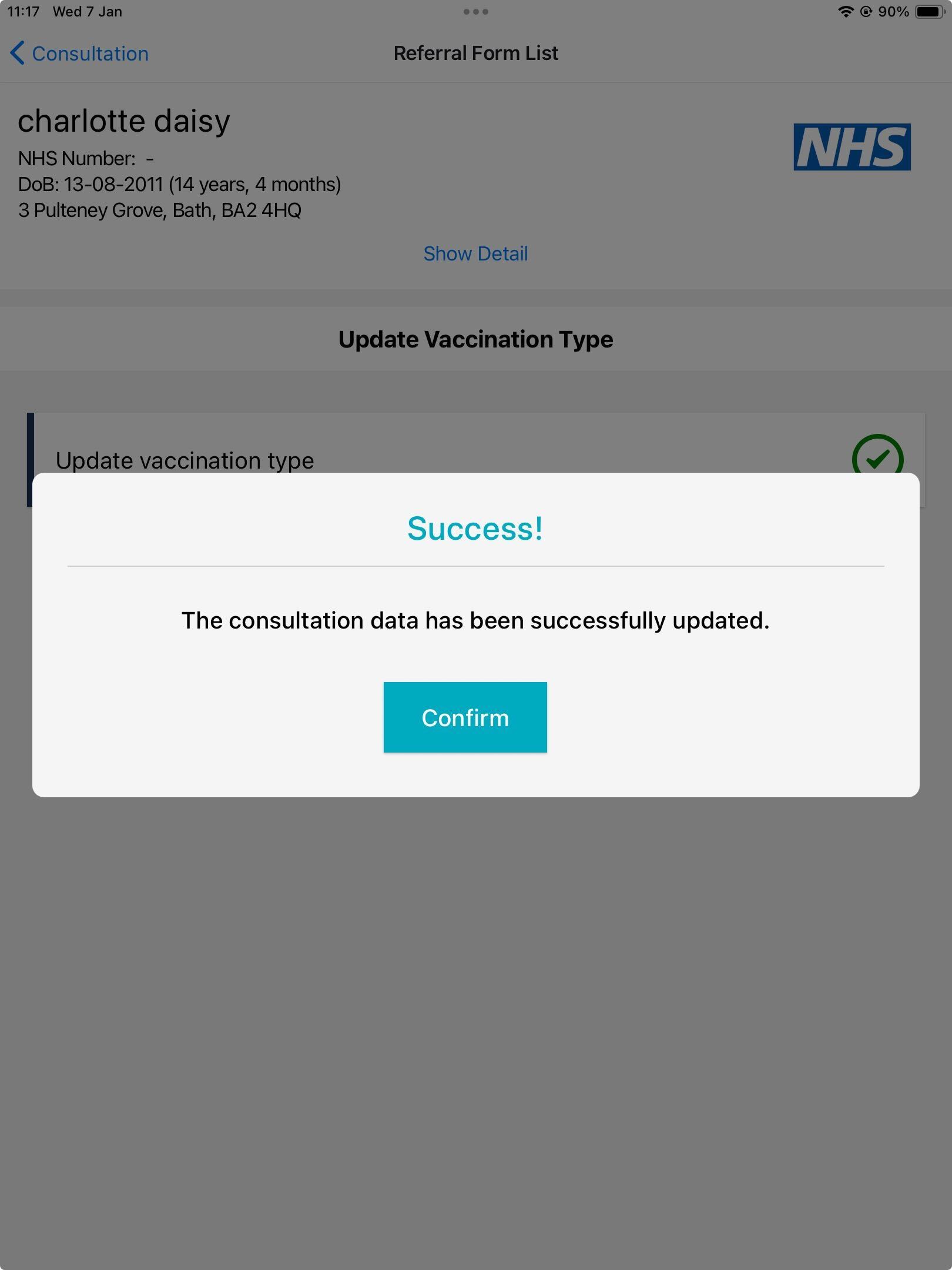 Image: Success message
Leave the consultation page and go back to the school list. You will now notice that this record states 'Flu IM'. This confirms that the changes have been applied and all your colleagues will receive this update on their devices. This record can now be outcomed. It will stay inside the Nasal clinic; it will not move to the Injectable clinic.
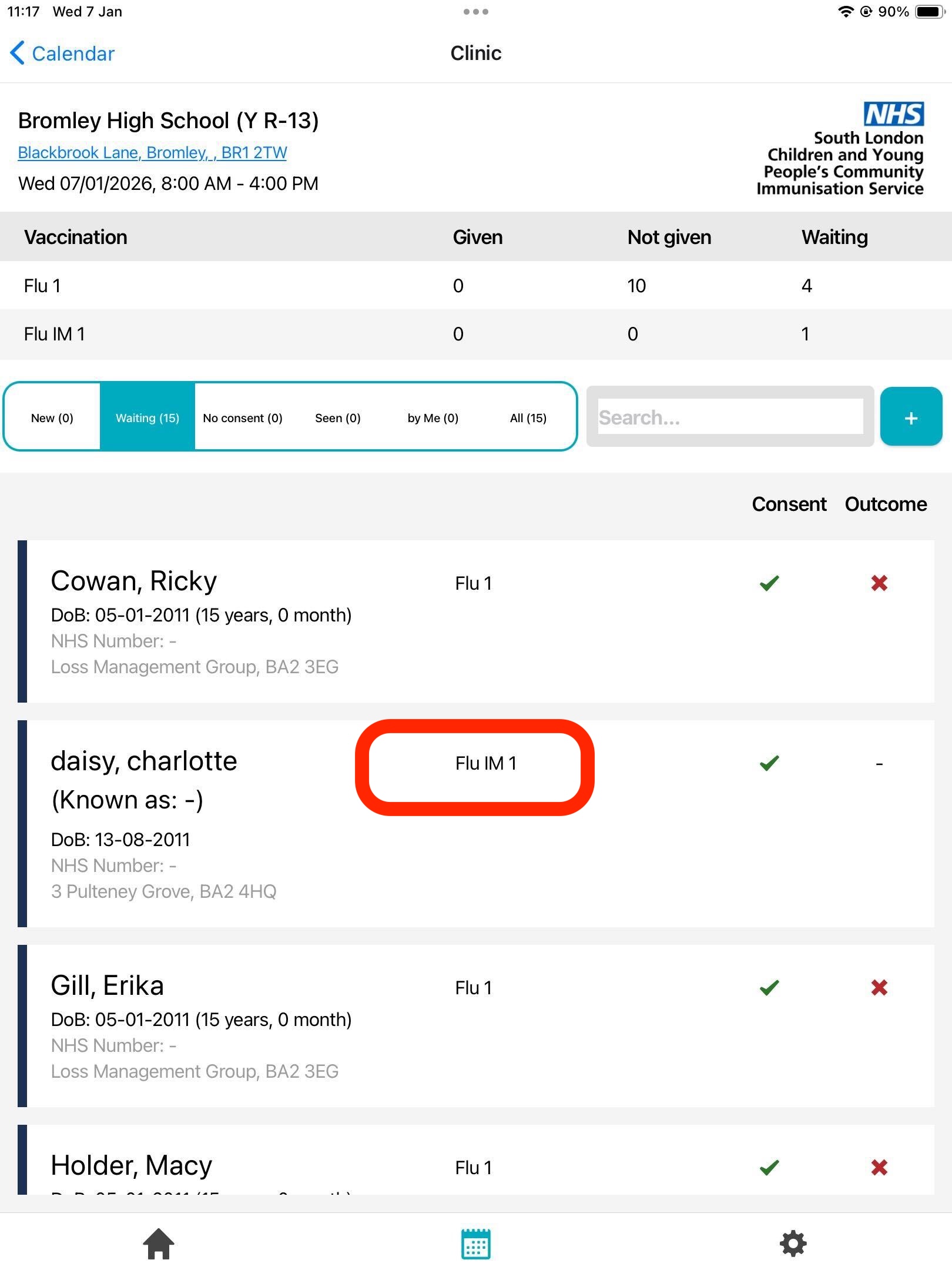 Image: Now the record states Flu IM and is ready to be outcomed
In the RIVIAM web, a timeline event will be created, stating that this change is a 'Mobile' immunisation event; therefore, this gives nurses a cue that this change was done using the mobile app.
 Image: Mobile immunisation event - timeline event