Accessing School Management for School Portal

Accessing School Management for School Portal

There are two ways in which a user can access School Management for the School Portal via RIVIAM Workflow:

Immunisations page 

If a user would like to access School Management for the School Portal, they can access this by: 
  • Log in to RIVIAM Workflow.
  • Select the immunisations page.
  • On the left-hand side menu, there is a School Management option. 
 

Figure 1: School Management access via Immunisations


  1. By School 

The user can also access School Management for the School Portal via the School. 
  • Log in to RIVIAM Workflow. 
  • Select the immunisations page. 
  • Select the school as required. 
  • School Management is an option in the left-hand side menu. 


Figure 2: School Management access via the school. 


School Management for School Portal Homepage

Selecting "School Management" will open the School Management Homepage, as seen here:


Figure 3: School Management Homepage 


Enter the name of the school in the search bar, and the name should appear in the search. Select the school, and a map location and contact details of the school will appear:
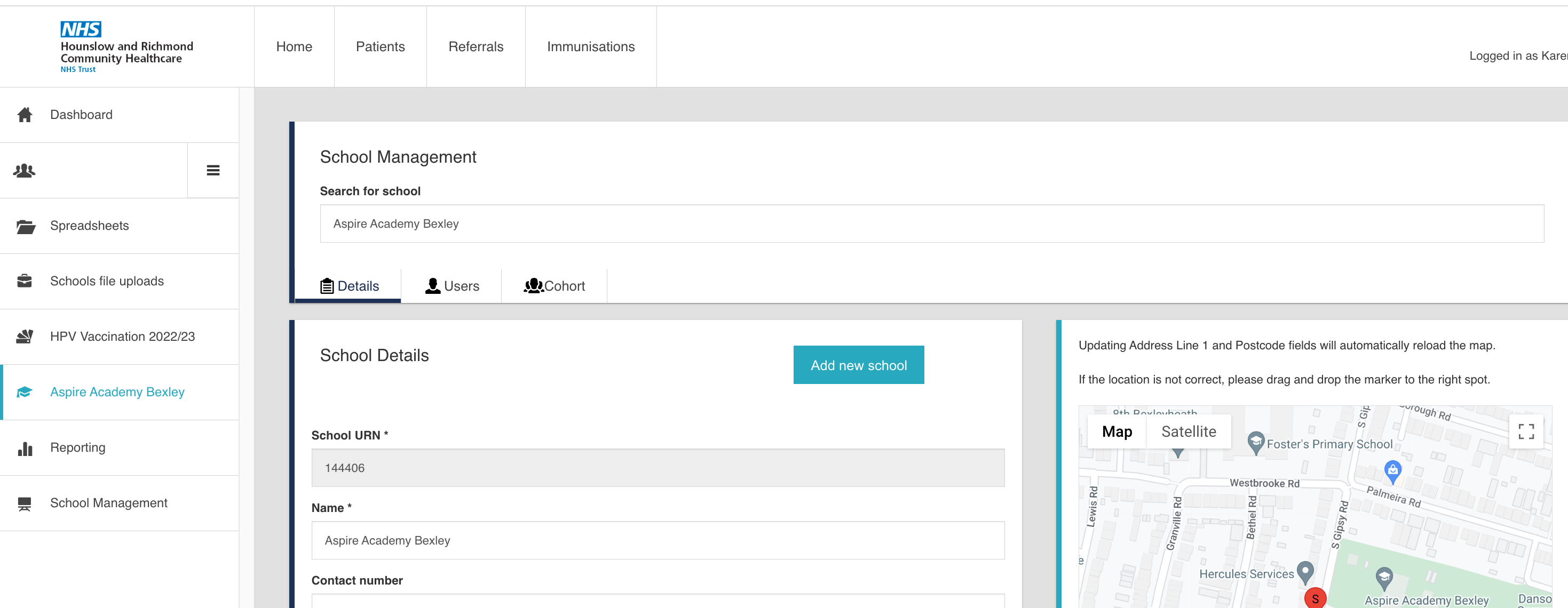

Figure 4 School Details Page 


    • Related Articles

    • How to invite a school administrator to register for School Portal

      Once in the School Management, select the "Users" tab: Figure 1: List of School users. This will list any users who have been assigned to the School Portal for that school. To add a new user, select the Add new user button. A pop-up window will ...
    • School Portal registration

      The School-Aged Immunisations Team will invite the school administrator to register an account on the RIVIAM School Portal. When the email address has been added, RIVIAM will send the user a registration email. Please note: Should you have any ...
    • How to edit School Portal user details

      If the School Immunisation team needs to change any user details, select the user they need to amend and select "Edit": Figure 1: School Portal user list. A pop-up window will appear where it is possible to change the first name, last name and ...
    • What is the School Portal and what are its benefits?

      The School Portal enables school administrators and immunisation teams to securely share class lists and easily identify where a parental response has been received. This will assist school administrators in preparing for immunisation clinics and ...
    • Homepage and School page

      After the login is successful, the School Portal Homepage will open. School administrators will see two sections. 1- Schools When the School administrator logs into the School Portal, they will see the school or list of schools that they have been ...